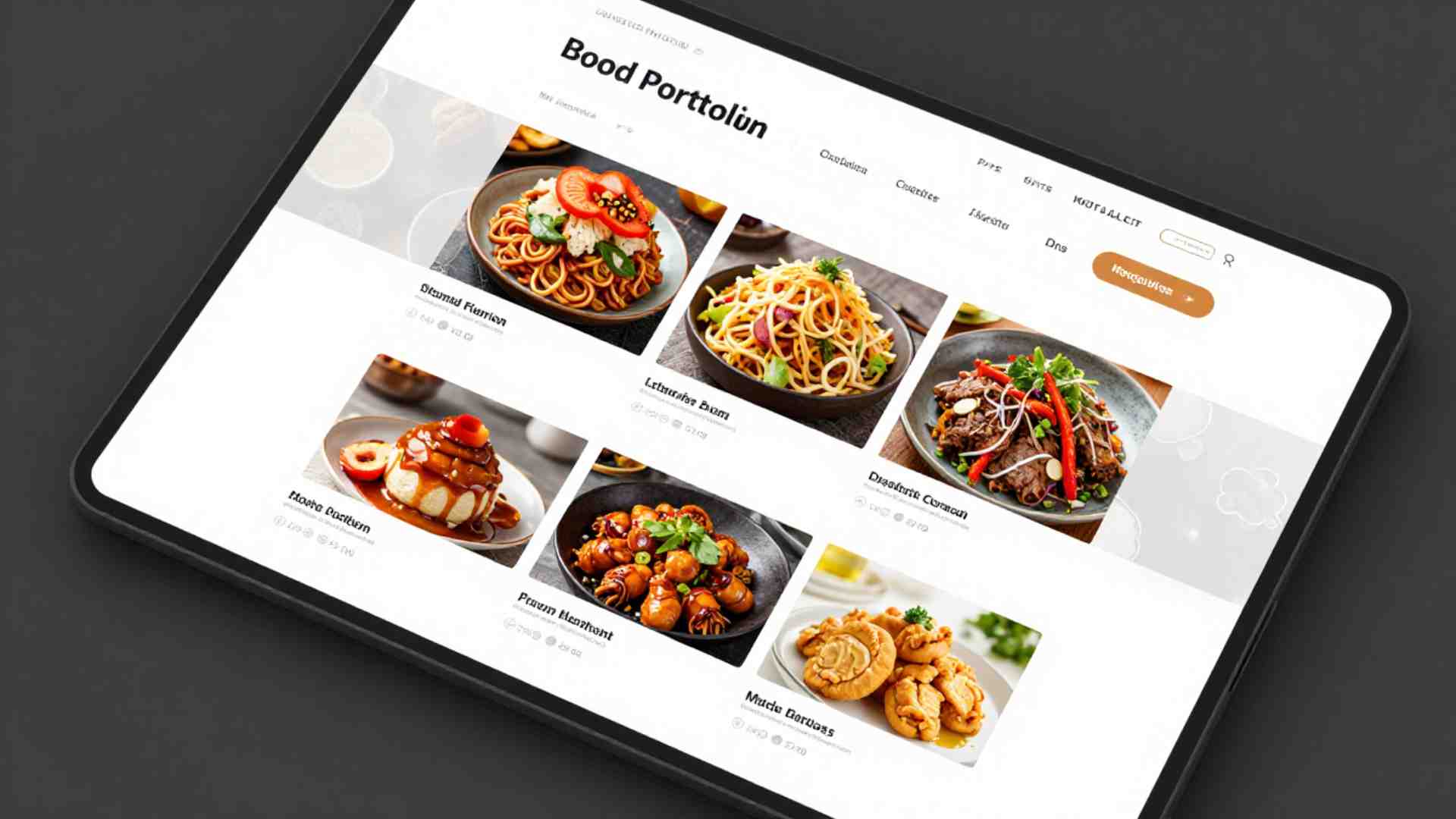
Food Photography Portfolio Website Essentials
In the competitive field of food photography, a well-crafted portfolio website serves as your primary tool for presenting work to potential clients. Unlike social media, which offers limited control over branding and layout, a dedicated website allows you to curate your images, highlight your expertise, and establish a professional identity.
This guide outlines the core elements needed to build an effective site, from content curation to design principles, platform choices, and advanced strategies drawn from industry reviews. By focusing on quality, usability, and client needs, your portfolio can stand out and drive business growth.
Why a Professional Food Photography Portfolio Website Matters
As a food photographer, your success hinges on visibility and credibility. Social media platforms reach wide audiences but restrict customization, often burying your best work in algorithms or cluttered feeds. A standalone website gives you full authority over presentation, enabling a cohesive brand that draws visitors from social channels.
The primary goal is to showcase your skills in a way that secures jobs. Clients, such as editorial teams or commercial brands, seek photographers who can deliver consistent results. Your site must demonstrate technical proficiency, creative range, and reliability. For instance, it should convey your ability to handle diverse projects, from moody restaurant shoots to bright product ads.
Without a strong online presence, even talented photographers risk being overlooked. A portfolio website acts as a digital business card, providing context for your work and making it easy for clients to assess fit. It also positions you for opportunities like moodboard inclusions, where art directors pull images for inspiration, often leading to commissions.
Key Components of a Food Photography Portfolio
A successful portfolio emphasizes quality over quantity. Aim for 15-30 high-resolution images that highlight your lighting, composition, and styling skills. Include a mix of styles—moody, bright, and airy—to show versatility. Cover diverse subjects like entrees, beverages, pastries, meats, and desserts.
Curated Gallery
The gallery is the heart of your site. Select only your strongest images, ensuring variety in subjects and techniques. For example, balance close-up food portraits with wider scenes incorporating props or environments. This demonstrates your range and helps clients envision your fit for their projects.
Diverse angles add depth: incorporate top-down flat lays for overhead compositions, eye-level shots for intimate details, and 45-degree angles for dynamic perspectives. Action or process shots—such as steam rising from a dish, liquids being poured, or garnishes being added—bring energy and realism, showing your ability to capture motion and life.
About Me Page
This page personalizes your brand. Include a concise blurb on your photography journey, creative process, and specialization in food. Highlight what sets you apart, like expertise in natural light or team collaborations. Avoid lengthy narratives; focus on key facts that build trust.
Contact and Services Page
Make contact effortless with a dedicated page featuring a form, email, phone, and location. List services clearly, such as food styling, commercial shoots, editorial work, or product photography. This transparency aids clients in quick decisions.
Updated Content
Refresh your site every 90 days with new work to keep it relevant. Regular updates signal activity and growth, appealing to clients seeking current talent.
To visualize the structure of these components, consider this flowchart outlining the steps to assemble your portfolio:
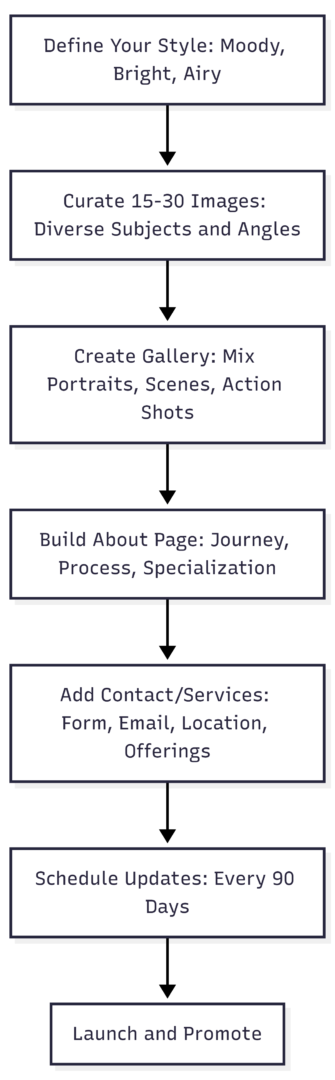
This diagram illustrates a logical progression, ensuring your site is comprehensive yet focused.
Design and Usability Principles
Design should enhance, not overshadow, your images. Prioritize functionality to create a seamless user experience.
Minimalist Design
Opt for a clean, simple layout with ample white space. Use neutral colors and subtle navigation to let photos shine. For inspiration, sites like those of Rachel Korinek employ monochrome schemes that complement bold food imagery without distraction.
Mobile Responsiveness
Ensure your site adapts to all devices. With mobile traffic dominant, responsive design prevents image distortion or navigation issues, improving accessibility for on-the-go clients.
Fast Loading Times
Optimize images by compressing files without losing quality. Tools like Adobe Lightroom can help resize for web. Slow sites deter visitors; aim for load times under three seconds to boost retention.
Clear Navigation
Structure menus intuitively, with links to home, gallery, about, contact, and services. Easy flow encourages exploration, increasing the chances clients view your full range.
These elements collectively improve user engagement, reducing bounce rates and signaling professionalism to search engines.
Choosing the Right Platform
Selecting a platform depends on your technical skills, budget, and needs. Format is tailored for photographers, Wix suits beginners with templates, and WordPress offers ultimate flexibility. Below is a comparison table based on current pricing and features relevant to food photographers.
| Platform | Plan Options and Pricing (Annual Billing, Monthly Equivalent) | Key Features for Photographers | Storage | Support | Customization Level |
|---|---|---|---|---|---|
| Format | Basic: $10/mo Pro: $17/mo Pro Plus: $26/mo | Award-winning portfolio templates, Lightroom integration, client galleries, SEO tools, copyright protection | Basic: None Pro: 100GB Pro Plus: 1TB | 24/7, priority for higher plans | High, with custom code on Pro+ |
| Wix | Light: $17/mo Core: $29/mo Business: $39/mo Business Elite: $159/mo | 2000+ templates, AI tools, eCommerce for selling prints, multi-cloud hosting | Light: 2GB Core: 50GB Business: 100GB Elite: Unlimited | 24/7 | User-friendly drag-and-drop, high for beginners |
| WordPress.com | Free: $0 Personal: $4/mo Premium: $8/mo Business: $25/mo Commerce: $45/mo | Premium themes, plugins on higher plans, SEO optimization, custom domains | Free: 1GB Personal: 6GB Premium: 13GB Business/Commerce: 50GB+ | Email/ticket, priority 24/7 on Business+ | Very high with plugins and code on Business+; WordPress.org (free software) requires separate hosting (e.g., via Bluehost starting at ~$3/mo) for full control |
Format excels for pure portfolio focus, with built-in tools like client proofing. Wix provides ease of use and eCommerce integration, ideal if you sell prints or services directly. WordPress offers scalability; start with .com for simplicity or .org for advanced customization, though it requires more setup.
Advanced Tips for Elevating Your Portfolio
Drawing from professional reviews, such as those at photo festivals, refine your portfolio to appeal to high-level clients. These insights emphasize problem-solving, technical mastery, and narrative strength.
Demonstrating Problem-Solving Skills
Clients view your portfolio as evidence of your ability to tackle challenges. Photography involves overcoming issues like lighting constraints or subject physics—depth of field or the inverse square law. Include images from varied shoots, showing adaptations to indoor/outdoor settings or tricky foods. This reassures clients you can execute their vision reliably.
Mastering Light Usage
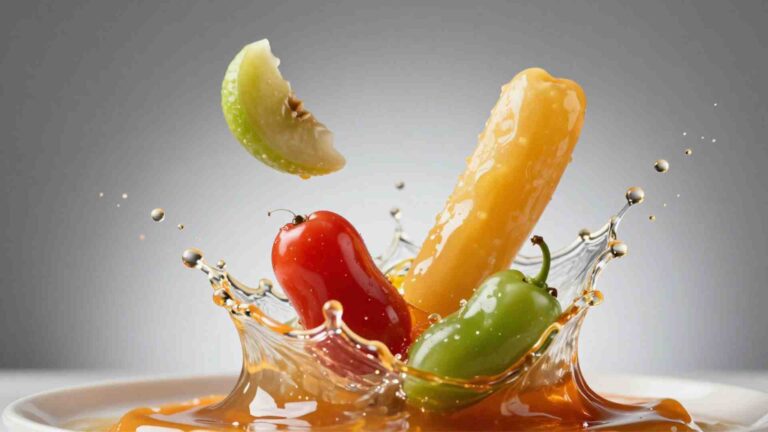
Light defines food photography. Showcase a range: natural vs. artificial, hard vs. soft, light and airy vs. dark and moody. For example, bright window light for fresh produce contrasts with controlled studio setups for dramatic effects. Reviewers praise strong lighting as a top compliment, indicating your craft in shaping mood.
Showing Team Collaboration
Large projects involve teams—food stylists, prop experts, creative directors. Demonstrate this through diverse imagery suggesting collaborations, like varied styling across shoots. In reviews, discuss past team experiences to highlight leadership and adaptability. This skill elevates you for editorial or commercial work.
Standing Out with Uniqueness
In a saturated market, one memorable image can hook a client. Avoid generic trends like all-white feeds; push boundaries with experimental compositions or unconventional subjects. Trust your instincts—images that challenge norms often impress more than high-like social posts.
Incorporating Storytelling
Every image should narrate. Group shots into series, like a farm-to-table sequence or restaurant interiors with people. Include full stories on platforms like Behance, then integrate into your site. This shows discernment: condensing a story into 3-5 images proves professional judgment over volume.
Variety in Shots: Scenes, Portraits, Macros
Diversify with wide food scenes (tablescapes with atmosphere), mid-range portraits (focused dishes), and tight macros (texture details). This “wide, tight, tighter” approach breaks monotony in scrolling, aiding viewer engagement. It also proves versatility for jobs requiring comprehensive coverage.
Pagination and Layout
Arrange images thoughtfully—follow color stories, moods, or themes. For instance, transition from bright breakfast shots to moody dinners. Proper flow tells your brand story; seek feedback on layouts to optimize impact. Compare grids: fewer images per row foster deeper connection than dense 3×3 setups.
Integrating Motion
Motion is essential in modern portfolios. Include GIFs, cinemagraphs, or stop-motion of actions like slicing or bubbling. This expands your skill set beyond static images, appealing to clients needing dynamic content for ads or social.
Revealing Personality
Your About page should include a bio photo, location, and a short bio showing you’re approachable. Clients check this to gauge team fit. Incomplete pages deter; a genuine snapshot builds rapport.
Final Thoughts on Building Your Portfolio
A food photography portfolio website is your gateway to professional growth. By curating top work, prioritizing clean design, selecting the right platform, and incorporating advanced elements like storytelling and motion, you position yourself for success. Regularly review and update to stay relevant. Implement these essentials to create a site that not only showcases your talent but converts visitors into clients.
Please share this Food Photography Portfolio Website Essentials with your friends and do a comment below about your feedback.
We will meet you on next article.
Until you can read, How to Edit Food Photos in Lightroom (Step By Step)