
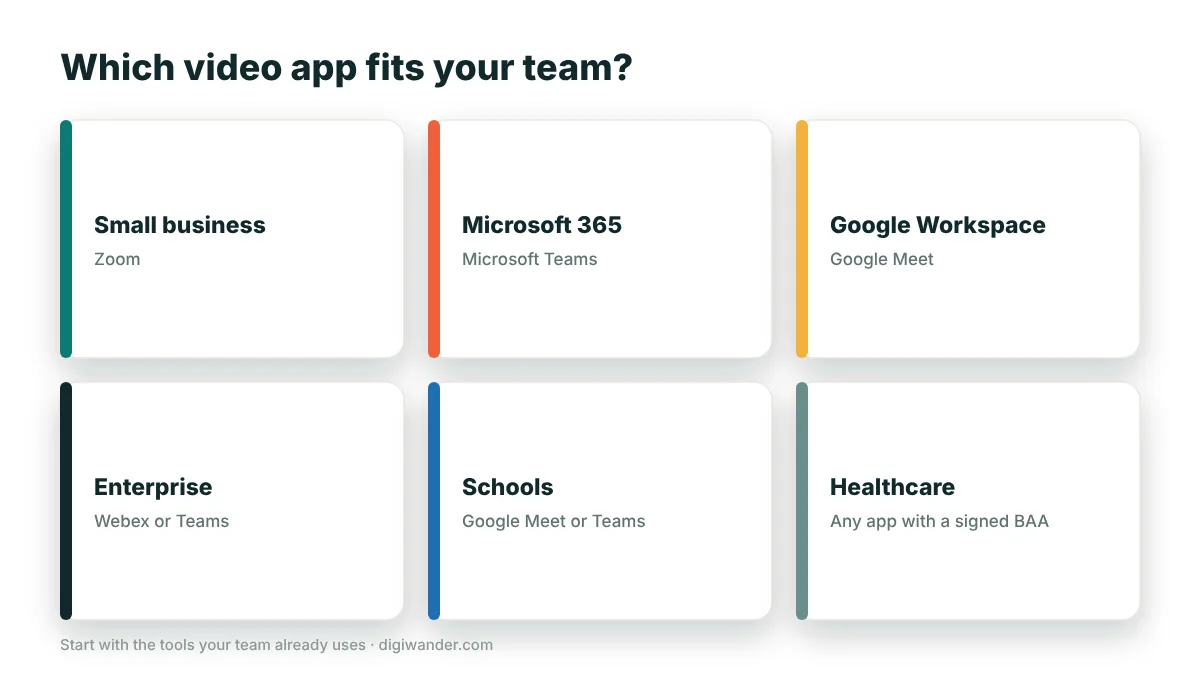
The best video conferencing app depends on your team. Zoom is the best choice for most small businesses and client-facing teams, Microsoft Teams is best for companies on Microsoft 365, Google Meet is best for teams using Google Workspace and for schools, Webex suits large and regulated enterprises, and Zoom or Teams webinars are best for big online events.
In this guide
- Best video conferencing app by team type
- Best for small businesses: Zoom
- Best for Microsoft 365 companies: Microsoft Teams
- Best for Google Workspace teams and schools: Google Meet
- Best for enterprises: Webex or Teams
- Best for healthcare teams
- Best for webinars and large events
- Best setup for fully remote, global teams
- How to choose in 3 questions
- Frequently asked questions
Healthcare teams need an app that will sign a HIPAA business associate agreement (BAA). This guide matches apps to team types; for a feature-by-feature comparison of free plans and prices, see our 7 best video conferencing apps compared.
Best video conferencing app by team type
| Team type | Best pick | Why |
|---|---|---|
| Freelancers and solo nomads | Google Meet (free) + Zoom Pro | Free browser calls; Zoom for long client calls |
| Small business (2–50) | Zoom | Familiar to clients, simple admin, reliable on weak Wi-Fi |
| Microsoft 365 companies | Microsoft Teams | Built into Outlook, SharePoint and OneDrive |
| Google Workspace companies | Google Meet | Built into Gmail, Calendar and Docs |
| Large or regulated enterprises | Webex or Teams | Strong security, compliance and admin controls |
| Schools and training | Google Meet or Teams | Classroom tools and education plans |
| Healthcare | Zoom for Healthcare, Teams or Google Meet with a BAA | HIPAA requires a signed BAA |
| Webinars and events | Zoom Webinars or Teams town halls | Registration, Q&A and large audiences |
| Async-first remote teams | Slack huddles + recorded video | Fewer meetings across time zones |
Best for small businesses: Zoom
Zoom is the safest choice when you meet clients from many companies, because almost everyone already has it. The free plan allows 40-minute meetings with up to 100 people; paid plans remove that limit and add cloud recording, transcripts and admin controls. It handles unstable connections well, which matters for remote staff working from home or on the road.
Best for Microsoft 365 companies: Microsoft Teams
If your company already pays for Microsoft 365, Teams is effectively included and connects to Outlook, OneDrive and SharePoint. It combines chat, files and meetings in one place. External guests can join from a browser, though first-time guests sometimes find the interface busier than Zoom.
Best for Google Workspace teams and schools: Google Meet
Meet runs entirely in the browser and is built into Gmail and Google Calendar, so a meeting link is added to every invite automatically. Free Google accounts get 60-minute group calls, and paid Workspace and education plans add recording, longer meetings and larger audiences.
Best for enterprises: Webex or Teams
Large organizations often care most about security, compliance, device management and support. Cisco Webex is popular in government, finance and other regulated industries, and integrates with conference room hardware. Teams is the other common enterprise standard.
Best for healthcare teams
Under HIPAA, US healthcare providers need a video platform that signs a business associate agreement. Zoom offers healthcare plans with a BAA, and Microsoft and Google offer BAAs for eligible business and enterprise plans. Free consumer accounts are not suitable for patient visits. Remote medical roles are growing — see whether radiologists can work from home.
Best for webinars and large events
Regular meetings are built for conversation; webinars are built for presenting to an audience. Choose a webinar product (such as Zoom Webinars or Teams town halls) when you need registration pages, a hosted Q&A, attendee limits in the hundreds or thousands, and recordings for people who could not attend.
Best setup for fully remote, global teams
- Meet less, write more: share updates in documents and recorded videos so people in other time zones can catch up.
- Use one main video tool so nobody has to switch apps every call.
- Rotate meeting times fairly across time zones.
- Agree on etiquette: cameras, muting, agendas and written follow-ups. Our guide to cross-cultural communication helps international teams avoid misunderstandings.
- Check everyone’s connection — upload speed matters more than download for video.
How to choose in 3 questions
- What do you already pay for? Microsoft 365 → Teams. Google Workspace → Meet.
- Who do you meet? Mostly external clients → Zoom. Mostly internal colleagues → your suite’s app.
- Any compliance needs? Healthcare, finance or government → confirm BAAs and security certifications first.
Frequently asked questions
What is the best video conferencing app for small businesses?
Zoom is the best choice for most small businesses because clients already know it, admin is simple and it handles weak connections well.
Is Microsoft Teams or Zoom better for companies?
If your company already uses Microsoft 365, Teams is usually the better value because it is integrated with Outlook and OneDrive. Zoom is often better for meeting many external clients.
Which video conferencing apps are HIPAA compliant?
Apps can be used in a HIPAA-compliant way when the provider signs a business associate agreement. Zoom offers healthcare plans with a BAA, and Microsoft and Google offer BAAs on eligible business plans.
What is the best video app for schools?
Google Meet and Microsoft Teams are the most common choices for schools because they integrate with Google Classroom and Microsoft 365 education plans.
What is the difference between a meeting and a webinar?
Meetings are for two-way conversation. Webinars are for presenting to an audience, with registration, hosted Q&A and larger attendee limits.
Sources
- HHS — Business associate agreements under HIPAA
- Pumble — Microsoft Teams vs Zoom (2026)
- TechRadar — Best free video conferencing
Last updated . Fees, rules and prices change often — confirm current details with the official source before you act. This article is for information only and is not financial advice. See our disclaimer.